What is social media automation? A 2026 guide
Key takeaways
- Social media automation uses software to handle repetitive tasks like scheduling, reporting, and responding to messages across platforms.
- The best automation tools in 2026 combine AI-powered content creation with scheduling, analytics, and social listening in one dashboard.
- Automation works best when it handles high-volume, predictable tasks while humans stay in charge of strategy, creativity, and sensitive conversations.
- Enterprise teams can scale automation with governance tools, approval workflows, and multi-brand management to maintain consistency across regions.
What is social media automation?
Social media automation means using tools or software to take care of routine social media tasks. This can include scheduling posts, creating reports, replying to messages, or tracking hashtags, all without having to log in to each platform separately.
For businesses, automation means getting more done in less time. Instead of juggling endless tasks, you can schedule posts, pull reports, and free up hours each week to focus more on your social media strategy.
But not everything counts as automation. Here’s what to know:
- It’s more than just scheduling. Social media scheduling is just one part of automation. Today’s tools also help with content creation, analytics, and social listening.
- It’s most effective when it’s not spammy. Automation doesn’t mean fake likes or auto-comments. Those hurt your social media presence and break platform rules.
- It’s not “AI only.” AI-powered tools can help you repurpose posts or draft captions, but human oversight is still key to keeping your brand voice authentic.
What can you automate on social media?
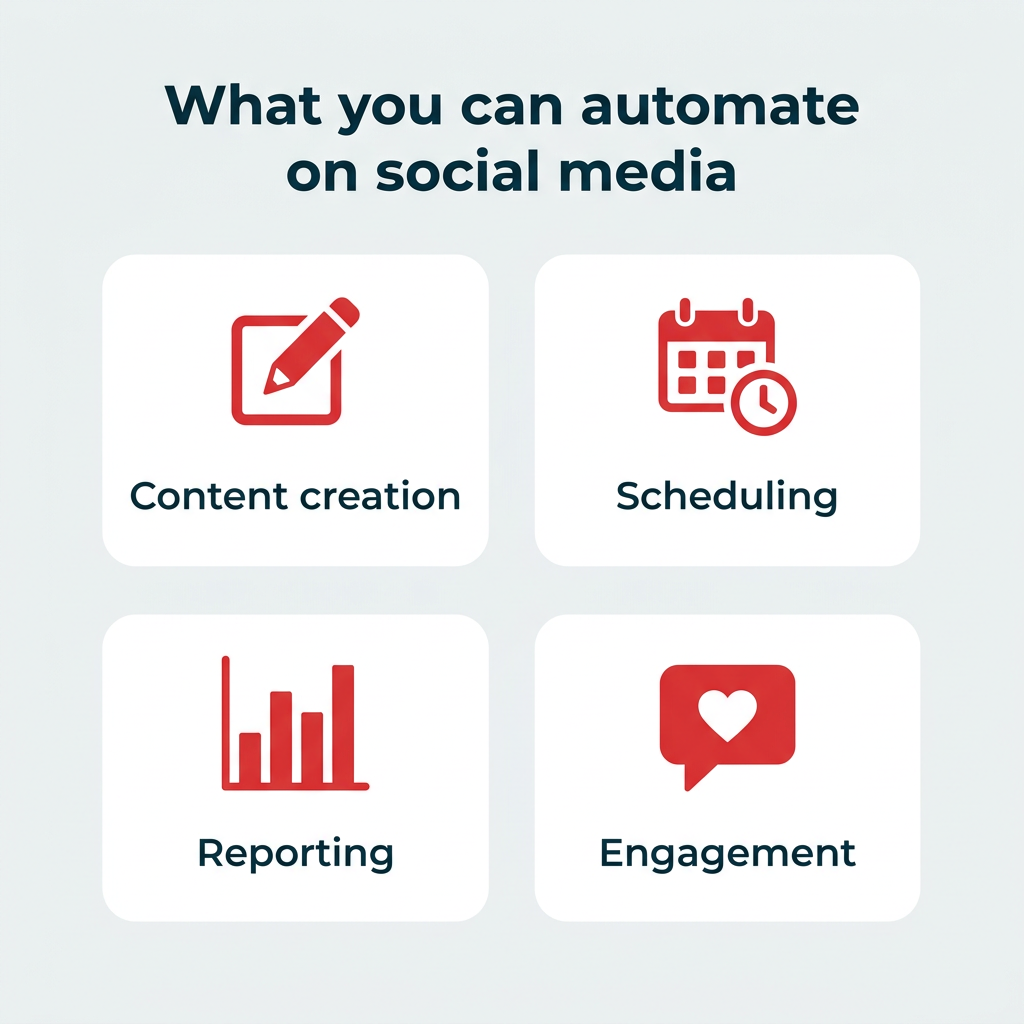
You can automate many (but not all) tedious social media marketing tasks. The key is knowing which categories of work lend themselves to automation and which still need a human touch. Here’s how it breaks down.
How can you automate content creation and curation?
AI tools can draft captions, suggest hashtags, generate video scripts, and repurpose long-form content into social-ready posts. You can also set up RSS feeds to automatically surface relevant articles for sharing. The creative direction still needs to come from you, but automation handles the heavy lifting.
How can you automate scheduling, reporting, and monitoring?
This is where most teams start. Automation tools let you queue posts across platforms, pull real-time analytics into dashboards, and set up alerts for brand mentions or trending keywords. Instead of logging into five platforms every morning, you check one dashboard.
How can you automate engagement and customer service?
Chatbots, DM automation, saved replies, and comment management tools help you respond to your audience faster. Gartner predicts 60% of brands will use agentic AI for one-to-one interactions by 2028. Routine questions get answered instantly, while more complex conversations get routed to the right person on your team.
Other tasks you can automate include:
- Ad campaign management and budget adjustments
- Team workflows and approval processes
- Notifications and alerts for mentions
- Lead capture through automated DMs or forms
What are the benefits of social media automation?
Social media automation makes managing your accounts easier and saves your brain for more strategic thinking.
Here are the biggest benefits for businesses:
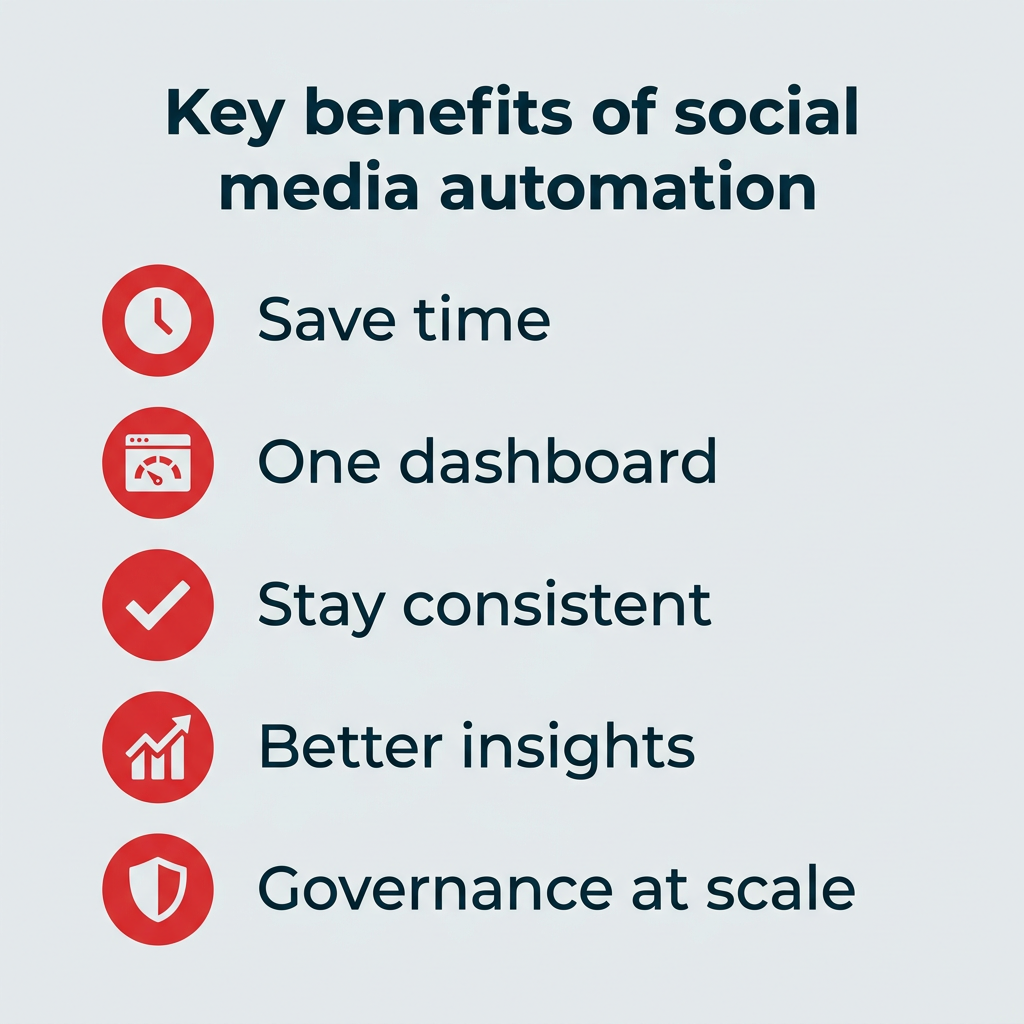
- Save time: Automations streamline everyday tasks like posting, reporting, and replying to FAQs so you can focus on bigger goals.
- Keep everything in one place: Manage all your social channels from a single dashboard to simplify your workflow.
- Build consistency: Keep your posting schedule steady, even when you’re away or your team is busy.
- Improve engagement: Reply to comments and messages faster, making your audience feel heard and valued.
- Deliver better insights: Pull real-time data on reach, clicks, and engagement without manual tracking.
- Spot trends early: Track mentions, hashtags, and keywords so you can see what people are talking about before it peaks.
- Show results clearly: Connect social activity to traffic and conversions, helping you prove what’s working.
- Maintain governance at scale: For enterprise teams, automation tools with approval workflows and role-based permissions help maintain brand consistency across regions and business units.
- Support compliance: Automated approval chains and content libraries reduce the risk of off-brand or non-compliant posts going live, which is especially important in regulated industries.
How to get started with social media automation
Getting started with social media automation doesn’t have to be overwhelming. The trick is to begin with the tasks that eat up the most time and layer in more advanced features as your team gets comfortable.
Here’s a quick overview of the process:
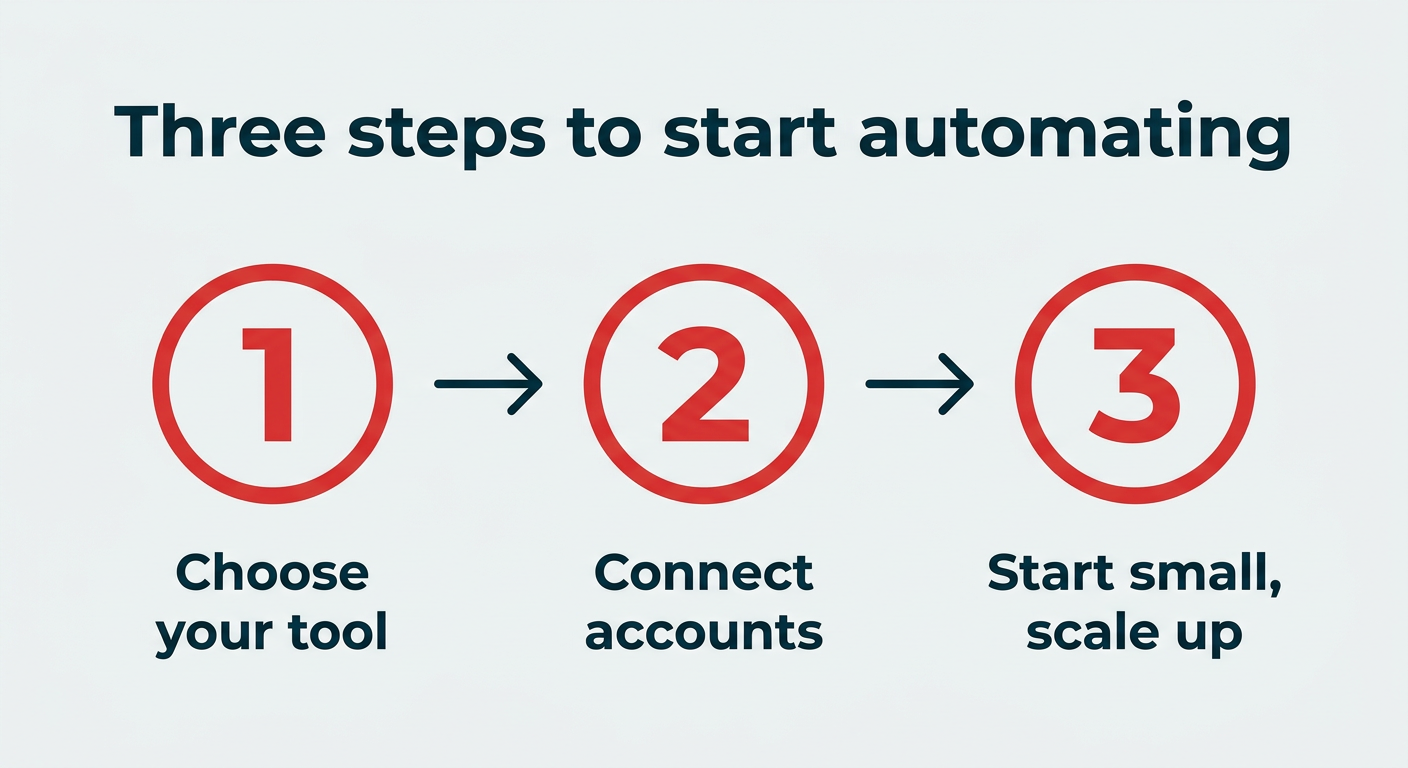
- Choose the right automation tool for your team
- Connect your social media accounts and set up workflows
- Start small and scale gradually
Let’s break each step down.
1. Choose the right automation tool for your team
Not every tool fits every team. Before committing, consider your team size, budget, the platforms you use most, and the features you actually need. A solo creator scheduling Instagram posts has very different requirements than an enterprise team managing 50 accounts across regions.
Look for a platform that covers your core needs (scheduling, analytics, inbox management) and can grow with you. Hootsuite, for example, scales from individual plans to enterprise deployments with governance and compliance features built in.
2. Connect your accounts and set up workflows
Once you’ve picked a tool, link your social media platforms so you can manage everything from one place. Then decide which tasks to automate first: publishing, reporting, monitoring, customer service, or all of the above.
Upload your content, set your publishing cadence, and configure any alerts or notification rules. Most tools walk you through this setup in minutes.
3. Start small and scale gradually
You don’t need to automate everything on day one. Start with scheduling and reporting, since those deliver the most immediate time savings. Once those workflows are running smoothly, layer in AI content creation, DM automation, and social listening.
Review your results regularly and adjust. The goal is to build a system you trust before expanding it.
What are the risks of social media automation?
While automation can do a lot of good for your business, relying on it too heavily (and losing the human touch) can get you in trouble.
Here are a few things you should keep in mind to avoid disengaging your audience:
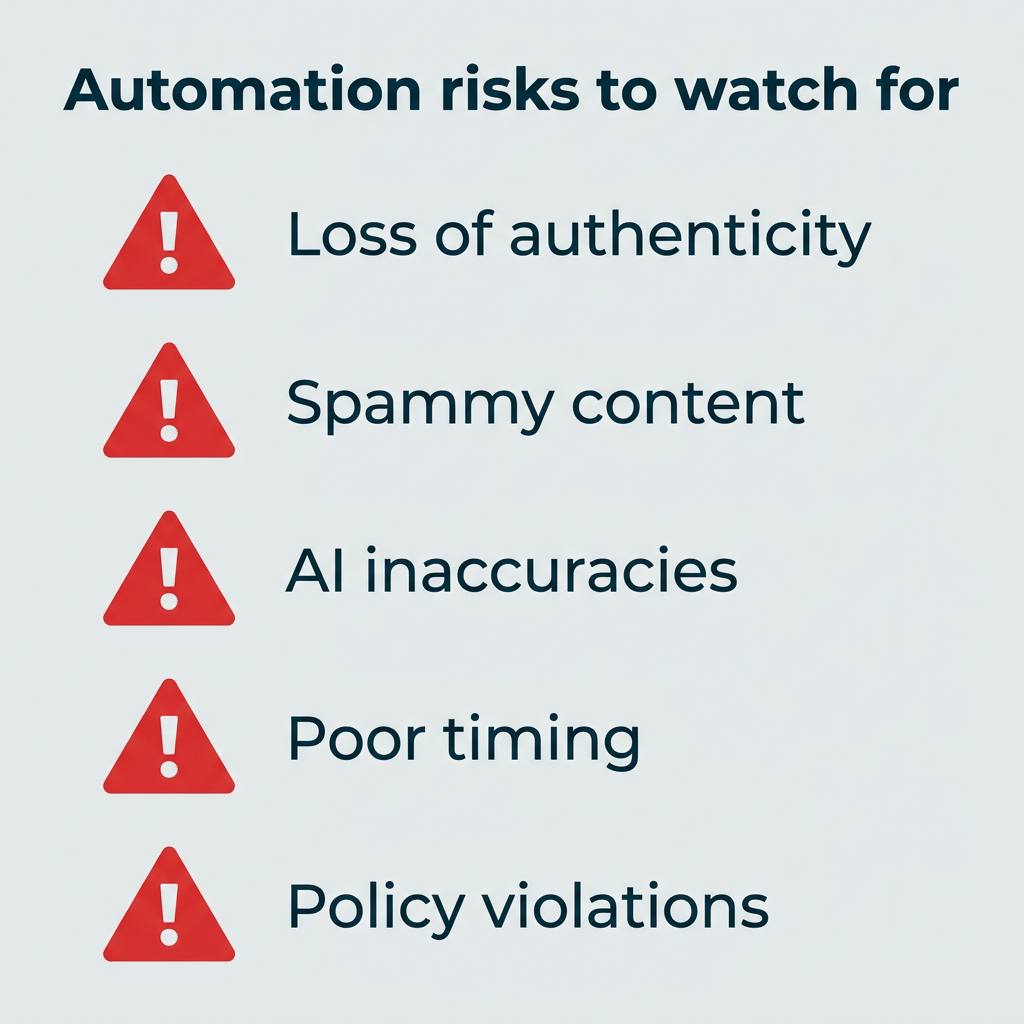
- Loss of authenticity: Automated posts or replies can sound robotic and damage trust if not reviewed.
- Spammy content: Too many scheduled posts (or the same post everywhere) can come off as spammy.
- Inaccuracies: AI tools do hallucinate. If you’re not reviewing what they create, you may end up publishing social media content that’s off-brand or out of context.
- Poor timing: A scheduled post that goes live during a sensitive moment can make your brand look out of touch. Think of a cheerful promotional post publishing right as a major crisis dominates the news cycle. Always have a process for pausing your queue when the unexpected happens.
- Platform policy violations: Aggressive automation tactics like auto-following, bulk liking, or using unauthorized third-party bots can violate platform terms of service and result in account suspension.
- Data privacy and compliance risks: For teams in regulated industries, automated workflows that collect or share customer data without proper controls can create serious legal exposure. Make sure your automation tools support the compliance standards your organization requires.
How can businesses use social media automation effectively?
To use social media automation effectively as a business, you need the right balance of tools and humans.
Here’s how to do it right:
How do you automate scheduling and publishing?
Scheduling is the backbone of social media automation. Instead of logging in to LinkedIn, TikTok, and Instagram separately, you can create and schedule posts in one dashboard and know they’ll go out on-brand and on time.
Automation helps you post more consistently and at the right times, without adding work to your day.
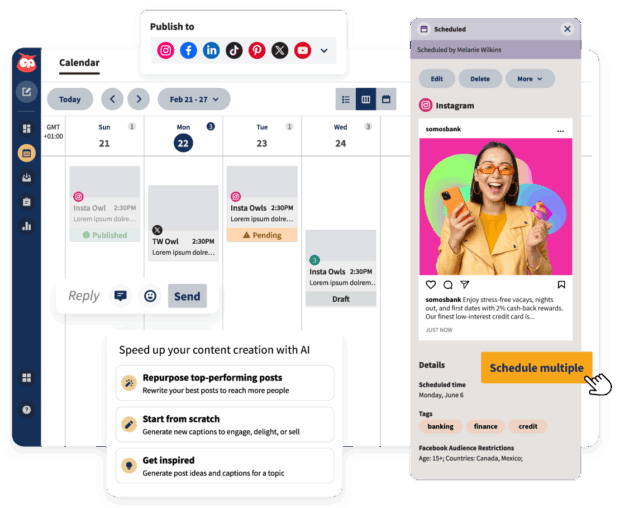
But scheduling alone won’t improve your social media performance. Posting consistently when your audience is most active is what will really move the needle.
You might be wondering: does scheduling content automatically hurt my reach? Luckily, no. Hootsuite tested whether scheduling tools reduce reach on Instagram. The results? Scheduled posts performed just as well — sometimes even better — than posts published manually.
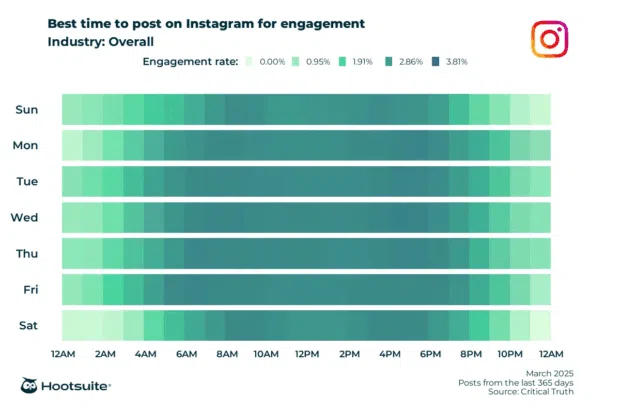
But what about timing? Does that really matter? Yes — Hootsuite data shows that posting at 8 AM on Wednesdays tends to produce stronger engagement than random posting times. Different platforms have different preferences, so check out all of our best time to post data before you get started.
How do you automate reporting and analytics?
Reporting is one of those jobs that’s easy to put off. Exporting data from every platform, building spreadsheets, and trying to make sense of it all takes significant time.
Luckily, automation takes the grunt work out of social media reporting. Instead of spending hours copying numbers into a spreadsheet, you can connect your accounts to a social media reporting tool and generate your reports automatically.
With tools like Hootsuite Analytics, your reports build themselves. The tool pulls in real-time data from Facebook, Instagram, LinkedIn, TikTok, and X (Twitter), and then keeps it updated as your data flows in.
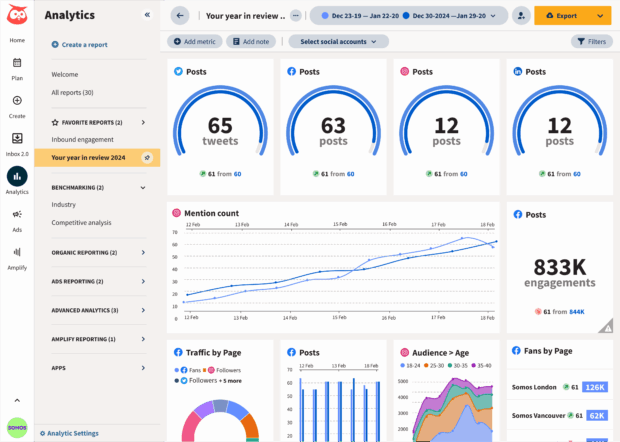
It can even schedule your reports to be sent to your team, management, or stakeholders on a regular basis, all with clear, simple visuals that translate your performance in an easy way. This saves significant time.
How do you use AI for smarter content creation?
AI has made content creation way faster. Over half of B2B content marketers already use AI to produce text, images, or video. AI tools can help you write captions, find hashtags, and reuse your best posts in new ways. That means less time staring at a blank screen and more time building campaigns and talking to your audience.
But here’s the thing: AI should be your sidekick, not your replacement. People can spot generic AI content a mile away.
The trick is using AI to speed up the boring parts so you can double down on the creative work only humans can do.
Take OwlyGPT, for example, Hootsuite’s AI social media manager. Unlike generic AI tools like ChatGPT, it taps into real-time social data to help you:
- Brainstorm social media campaigns, captions, or strategies in your brand’s tone
- Spot trends early with insights from actual conversations happening online
- Repurpose long-form content into quick social posts
- Send drafts straight into Composer so you can polish and schedule in minutes
You can even use it for deeper work, like analyzing competitors’ top posts, planning content calendars, or pulling hashtag and format recommendations for your industry.
OwlyGPT is available in your Hootsuite dashboard — just click Start with AI from the Home screen or left nav.
Learn how to use OwlyGPT in this tutorial.
The bottom line: AI-powered tools can save you hours, but they’re not a replacement for human talent. As human-AI hybrid roles emerge across marketing teams, use AI tools as an assistant while you stay in charge of what feels authentic and on-brand.
How do you automate social listening and alerts?
You can’t be everywhere at once, but automation can. Social listening tools track mentions of your brand, competitors, or industry keywords across platforms and send you alerts in real time. That way, you always know what people are saying about your brand.
Once you know what people are saying, you know how to respond. And luckily, automation means you can gather thousands of data points about the sentiment of your brand, all while you do other work.
Automated listening also helps you:
- Benchmark performance against competitors or campaigns over time
- Identify influencers and advocates who naturally mention your brand
- Find recurring issues in customer feedback before they escalate
- Understand sentiment shifts after major announcements or crises
With Hootsuite, every plan includes social listening. Quick Search lets you instantly discover trending hashtags, topics, or brands anywhere in the world. Try it out next time you’re in your dashboard.
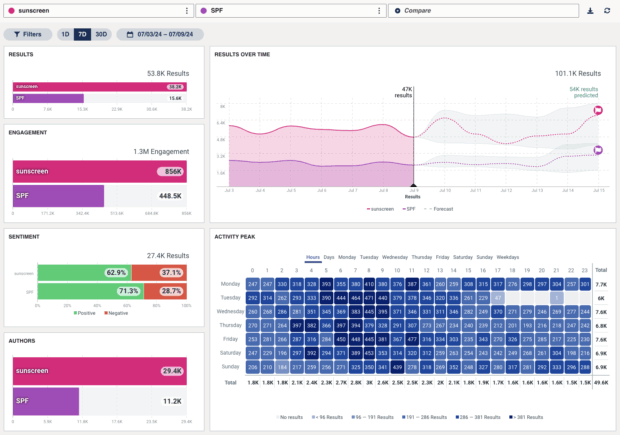

Brand mentions, trending topics, and sentiment at your fingertips. Enhance your social strategy with the insights that matter.
Start your free trialHow do you automate DM responses?
Losing time replying to direct messages across platforms? Automation can help you handle routine replies without sacrificing authenticity.
According to a survey from Clutch, 83% of people expect brands to respond to social comments within a day, and nearly half of millennials expect replies within an hour.
That kind of speed is tough to keep up with, especially if you manage many followers across different platforms.
Tools like Hootsuite DM automation can help you automate some of your responses. For example, you can automatically send a private message to anyone who comments on your Instagram post with a chosen keyword like “ebook,” “shop,” or “link.”
Once the keyword is hit, Hootsuite instantly sends them a customized DM with a download link, promo code, or sign-up form.
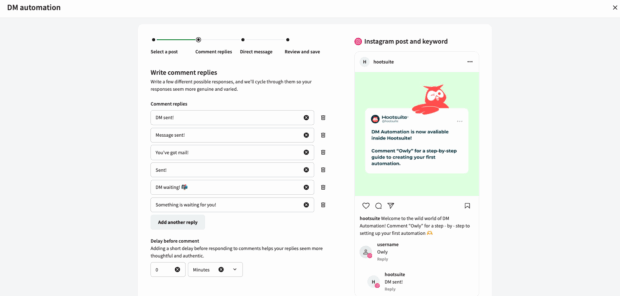
Each message can include personalized text, a call-to-action button, and a trackable link so you can see how many people open, click, or convert. You can even rotate between a few message versions and add a short delay so your replies feel more natural.
The Hootsuite social team uses this feature, too. After setting up DM automation, they saw a 329% increase in Instagram lead generation, according to Social Strategist Trish Riswick.
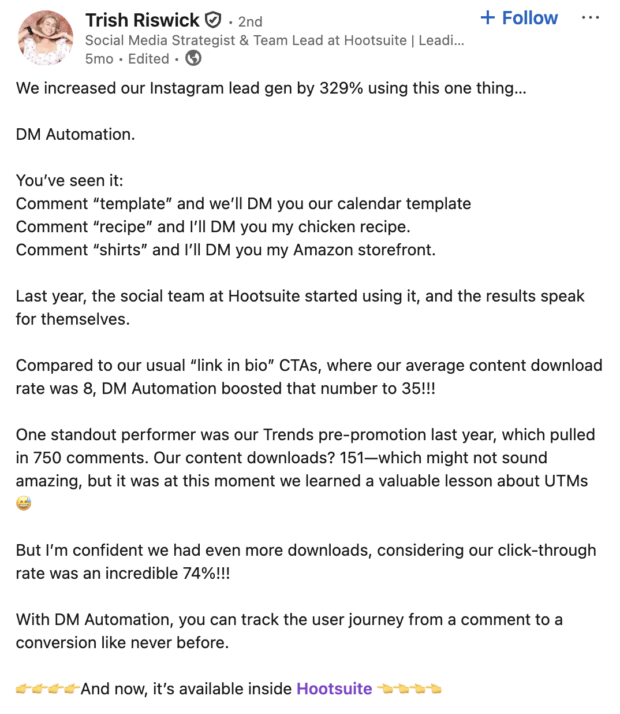
Source: Trish Riswick
How do you automate team workflows and approvals?
As your team grows, so does the risk of off-brand content slipping through the cracks. Automating your approval workflows helps you maintain quality and consistency without slowing your team down.
With the right tool, you can set up multi-step approval chains so every post gets reviewed before it goes live. This is especially valuable for enterprise teams managing multiple brands, regions, or regulated accounts.
Hootsuite’s approval workflows let you:
- Assign roles and permissions: Control who can draft, review, and publish content
- Build approval chains: Route posts through the right stakeholders before publishing
- Use shared content libraries: Keep pre-approved assets, templates, and brand guidelines in one place
- Track activity: See who approved what and when, which matters for compliance and auditing
Automating governance doesn’t just protect your brand. It also frees up senior team members from reviewing every single post manually.
What are the best social media automation tools in 2026?
The best tools help you save time, stay consistent, and get better results. Here’s how the top social media automation tools compare for businesses in 2026.
How do social media automation tools compare?
Tool | Best for | Key automation features | Starting price | Platforms supported |
|---|---|---|---|---|
Hootsuite | Medium-to-large teams and enterprises | AI content creation, best time to post, analytics, DM automation, social listening, approval workflows | $99/user/month | Instagram, Facebook, LinkedIn, TikTok, X, Pinterest, YouTube, Threads |
Talkwalker by Hootsuite | Brand monitoring and sentiment analysis | AI-powered sentiment tracking, visual recognition, trend detection | Custom pricing | 30+ social networks, 150M+ websites |
Buffer | Small teams and solo creators | Scheduling, basic analytics, link-in-bio tool, AI assistant | $6/month per channel | Instagram, Facebook, LinkedIn, TikTok, X, Pinterest, Threads, Bluesky, YouTube |
Agorapulse | Mid-market teams focused on inbox management | Unified social inbox, scheduling, reporting, social listening | $79/user/month (billed annually) | Instagram, Facebook, LinkedIn, TikTok, X, YouTube, Google Business |
Later | Creators focused on Instagram and TikTok | Visual content calendar, auto-publish, hashtag suggestions | $25/month | Instagram, Facebook, LinkedIn, TikTok, Pinterest, YouTube |
Now let’s look at each tool in more detail.
1. Hootsuite
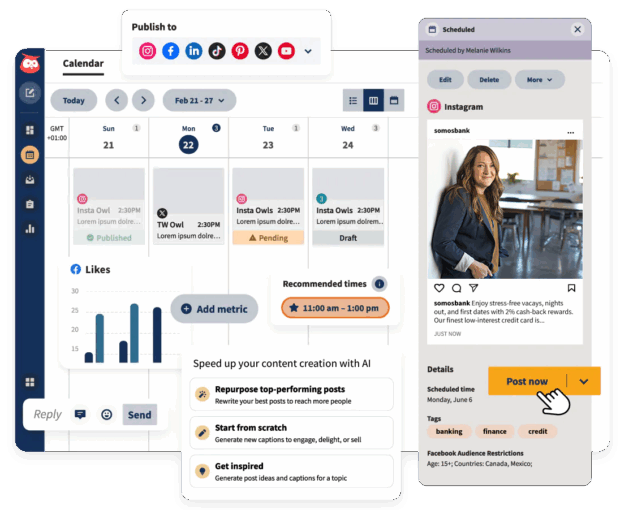
Hootsuite is an all-in-one social media management tool that helps you plan, post, and track content across all your social media accounts in one place. It includes marketing automation features that handle the busy work — like finding the best time to post, creating reports, and optimizing your performance — so you can focus on strategy and results.
- Best for: Medium-to-large teams, social media marketers, and content creators.
- Coolest feature: OwlyWriter AI, which automatically generates captions, repurposes top posts, and suggests hashtags in seconds.
- Price: Free 30-day trial, then starting at $99/user/month.
- Skill level: Beginner to advanced.
- OwlyWriter AI: Instantly write captions, repurpose your top posts, and brainstorm new ideas.
- Best time to publish: Automatically schedule posts for when your audience is most active.
- Hootsuite Analytics: Get real-time metrics and reports sent straight to your inbox.
- Hootsuite Inbox: See and reply to all your DMs and comments in one place, with quick Saved Replies ready to go.
- DM automation: Turn Instagram comments into conversations and conversions with personalized messages.
Put simply: Hootsuite is built to save teams hours each week by cutting down on repetitive tasks, while giving you the insights to grow your brand faster.
Learn more: Try Hootsuite free for 30 days.
2. Talkwalker by Hootsuite
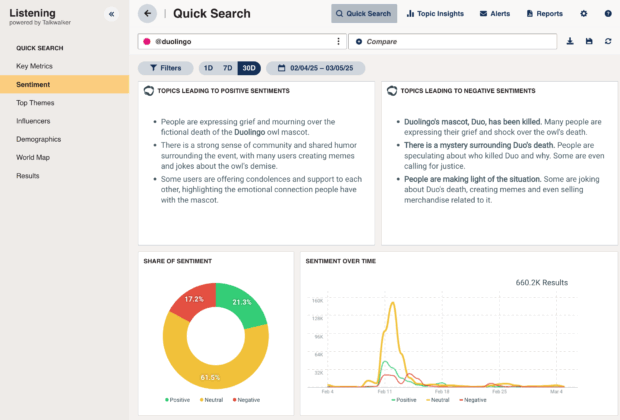
Talkwalker helps you understand what people are saying about your brand. It scans 30+ social networks and more than 150 million websites to give you a full picture of your online presence.
- Best for: Brands that want to stay on top of online conversations.
- Coolest feature: AI tools that track brand sentiment and spot your logo or products in photos and videos.
- Price: Custom, based on your needs.
- Skill level: Intermediate to advanced.
- Spot trends early: Talkwalker’s AI (called Blue Silk GPT) can analyze millions of posts to show how people feel about your brand and what topics are heating up.
- Track visuals, not just words: It can recognize your logo or products in videos and images, even if you’re not tagged.
- Work right inside Hootsuite: You can reply, tag teammates, or assign posts directly from your Hootsuite dashboard.
If your team needs to monitor brand sentiment, spot potential PR issues early, or find key influencers driving conversations, Talkwalker adds serious listening power to your Hootsuite toolkit.
Learn more: Request a demo
3. Buffer
Buffer is a straightforward social media management tool built for simplicity. It covers the basics well: scheduling, analytics, and a link-in-bio tool. Its AI assistant can help draft posts, and the clean interface makes it easy to learn quickly.
- Best for: Solo creators and small teams on a budget.
- Coolest feature: Clean, minimal interface that’s easy to pick up on day one.
- Price: Free plan available, paid plans starting at $6/month per channel.
- Skill level: Beginner.
Key automation features include:
- Queue-based scheduling: Set a posting schedule and drop content into your queue.
- AI assistant: Generate post ideas and repurpose content.
- Basic analytics: Track post performance across connected channels.
Buffer is a solid entry point for teams just getting started with automation. However, it lacks enterprise features like approval workflows, advanced social listening, DM automation, and cross-platform reporting that larger teams need.
4. Agorapulse
Agorapulse positions itself as a social media management tool with a strong focus on inbox management. Its unified social inbox pulls comments, messages, and mentions from all connected platforms into one view, making it easier to stay on top of conversations.
- Best for: Mid-market teams that prioritize community management.
- Coolest feature: Unified social inbox with automated moderation rules.
- Price: Starting at $79/user/month (billed annually)
- Skill level: Beginner to intermediate.
Key automation features include:
- Unified inbox: Manage all messages, comments, and mentions from one place.
- Automated moderation: Set rules to hide spam or route specific messages to team members.
- Scheduling and publishing: Queue content across multiple platforms with a visual calendar.
- Reporting: Generate branded reports showing engagement, reach, and growth metrics.
Agorapulse works well for teams focused on customer engagement and community building. However, its AI capabilities and social listening features are less advanced compared to enterprise-grade platforms like Hootsuite.
5. Later
Later is a visual-first scheduling tool designed primarily for Instagram and TikTok content creators. It focuses on making it easy to plan and preview your feed aesthetically before posts go live.
- Best for: Visual content creators and small businesses focused on Instagram.
- Coolest feature: Visual drag-and-drop content calendar that shows how your feed will look.
- Price: Free plan available, paid plans starting at $25/month.
- Skill level: Beginner.
Key automation features include:
- Auto-publish: Schedule and automatically publish posts to Instagram, Facebook, TikTok, and more.
- Hashtag suggestions: Get recommended hashtags based on your content and industry.
- Link in bio tool: Create a clickable landing page for Instagram bio links.
- Basic analytics: Track follower growth, engagement, and best posting times.
Later is best suited for creators and small businesses who prioritize visual planning. It lacks the advanced automation, team collaboration, and enterprise governance features that larger organizations require.
Frequently asked questions
What is the difference between social media automation and scheduling?
Can social media automation hurt my engagement rates?
How much time can automation save my marketing team?
What social media tasks should never be automated?
How do I maintain brand voice when using AI content tools?
What compliance features should enterprise teams look for in automation tools?
Can small businesses benefit from social media automation, or is it only for enterprises?
Save time managing your social media marketing strategy with Hootsuite. Publish and schedule posts, find relevant conversions, measure results, and more — all from one dashboard. Try it free today.
The post What is social media automation? A 2026 guide appeared first on Social Media Marketing & Management Dashboard.
* This article was originally published here To read more articles like this visit us at yourdigitalmarketingbootcamp.blogspot.com